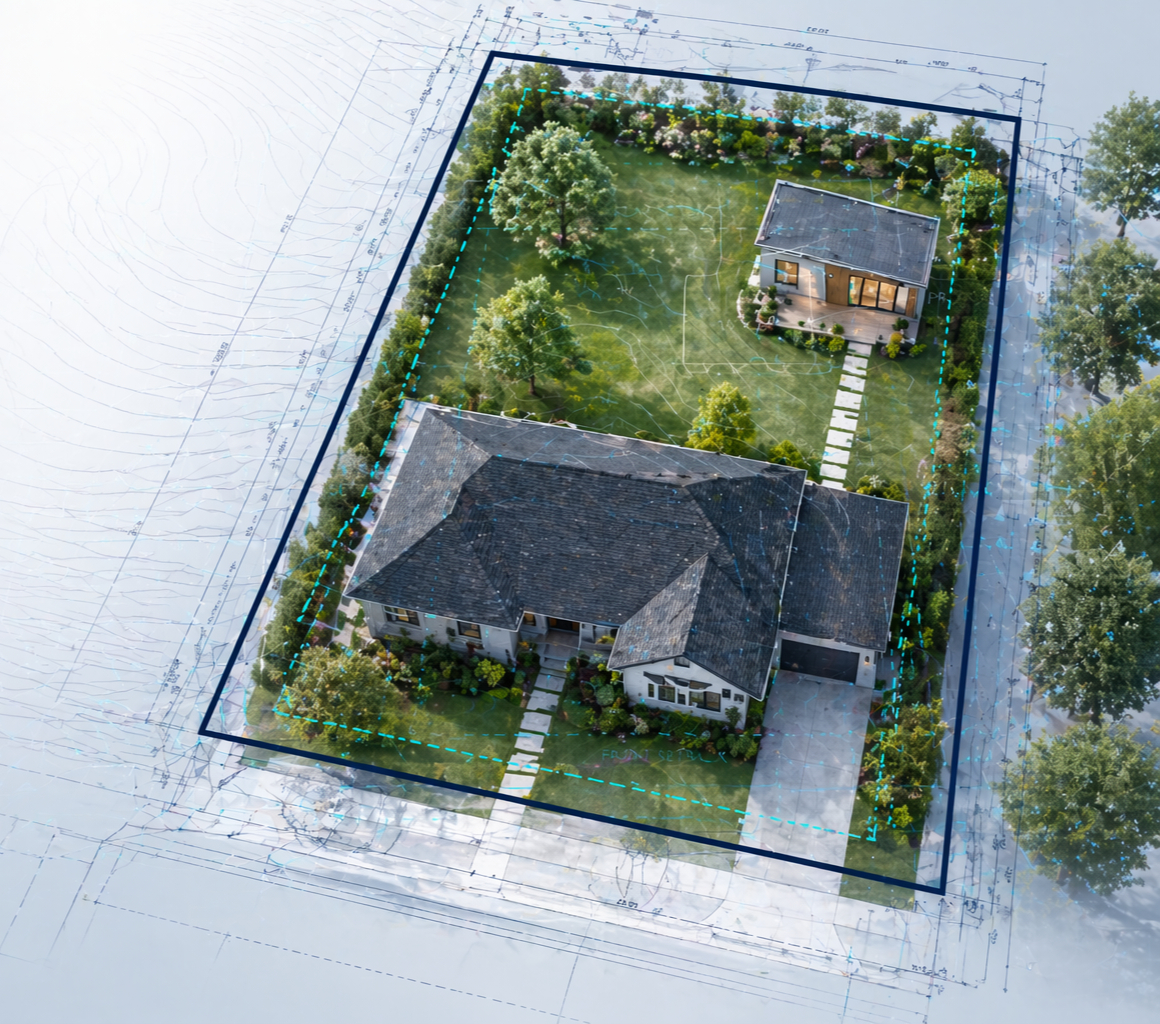
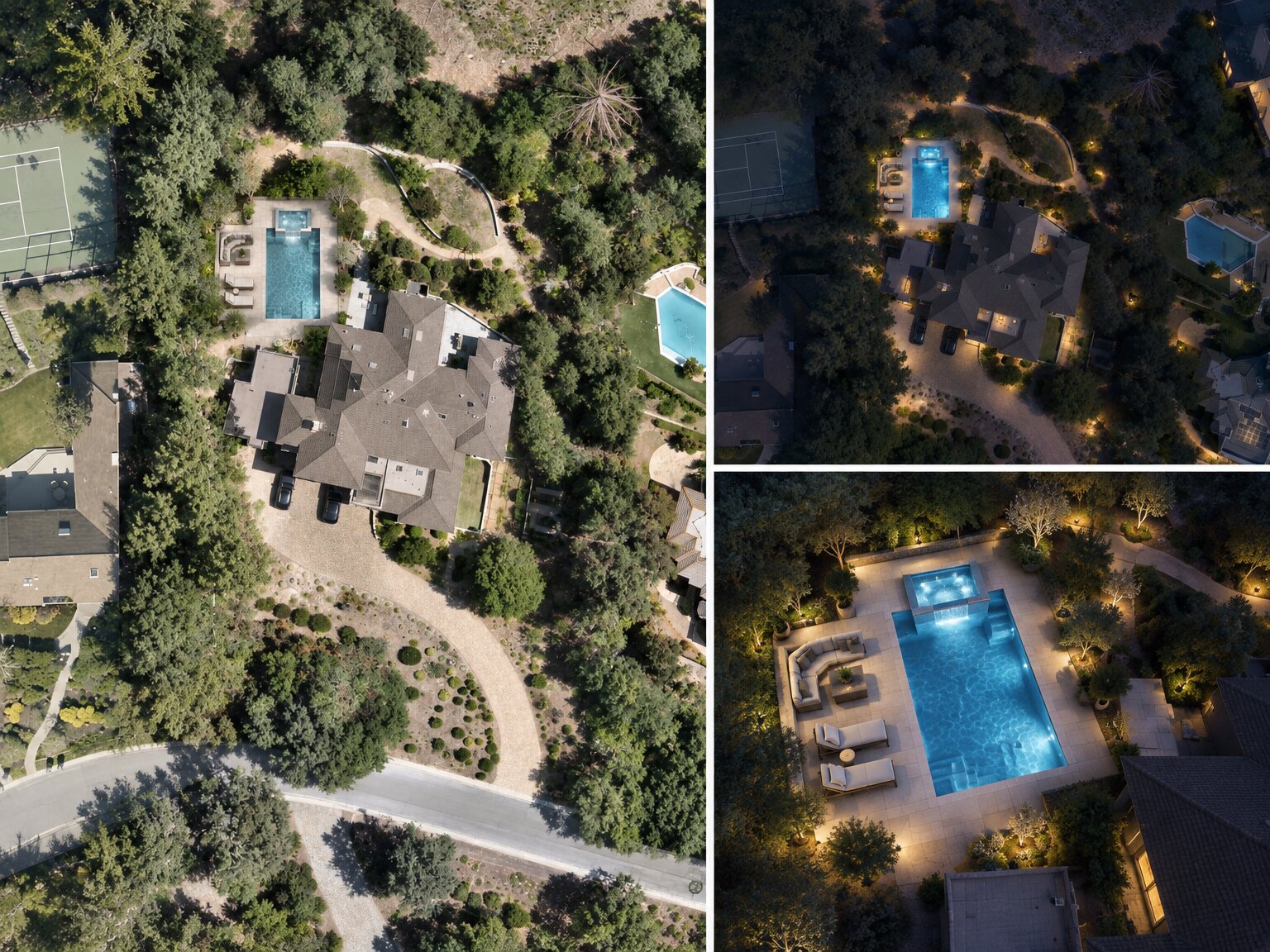
Impresarios are structured AI workflows inside InQI's InQuest workspace. Each one does a specific job, such as mapping site conditions, rendering a landscape direction, or building a planting plan. Each starts from the property you've already loaded into InQI. You pick the Impresario, set it up in plain language, and review a finished work product.
Since the September relaunch, designers, builders, and homeowners have asked us the same handful of questions. Here are the answers.
What is an Impresario?
An Impresario is a piece of digital labor built for one task. Instead of a blank chat where you explain everything from scratch, an Impresario already knows your property: parcel size, zoning, setbacks, trees, and existing structures. You tell it what you want, and it assembles the deliverable you'd normally spend hours putting together by hand.
Think of InQuest as the workspace and each Impresario as a specialist inside it. One reads the site, one renders design ideas, one builds the planting plan, one sizes irrigation zones.
How is an Impresario different from asking ChatGPT?
A general AI chat only knows what you tell it. To get a useful answer about a backyard, you'd have to describe the lot, find the zoning, and upload photos, and the result still isn't tied to real measurements.
An Impresario starts with the property already loaded from your InQI site plan. When it renders a backyard or counts plants for a bed, it's working on your actual lot. Areas come from your active site plan, so no geometry is invented. Where it uses outside data, like an evapotranspiration (ETo) rate or a hazard referral, it shows the source so you can check it.
Which Impresarios can I use today?
Seven are live on the Impresarios page:
| Impresario | What it does | Use it when |
|---|---|---|
| Instant Site Intelligence | Maps site conditions, measured areas, constraints, opportunities, and sourced hazard referrals | Before the first site visit |
| Program + Area Budget | Turns a client wishlist into a brief, an area budget, and an adjacency matrix, measured against the parcel | After the first client conversation |
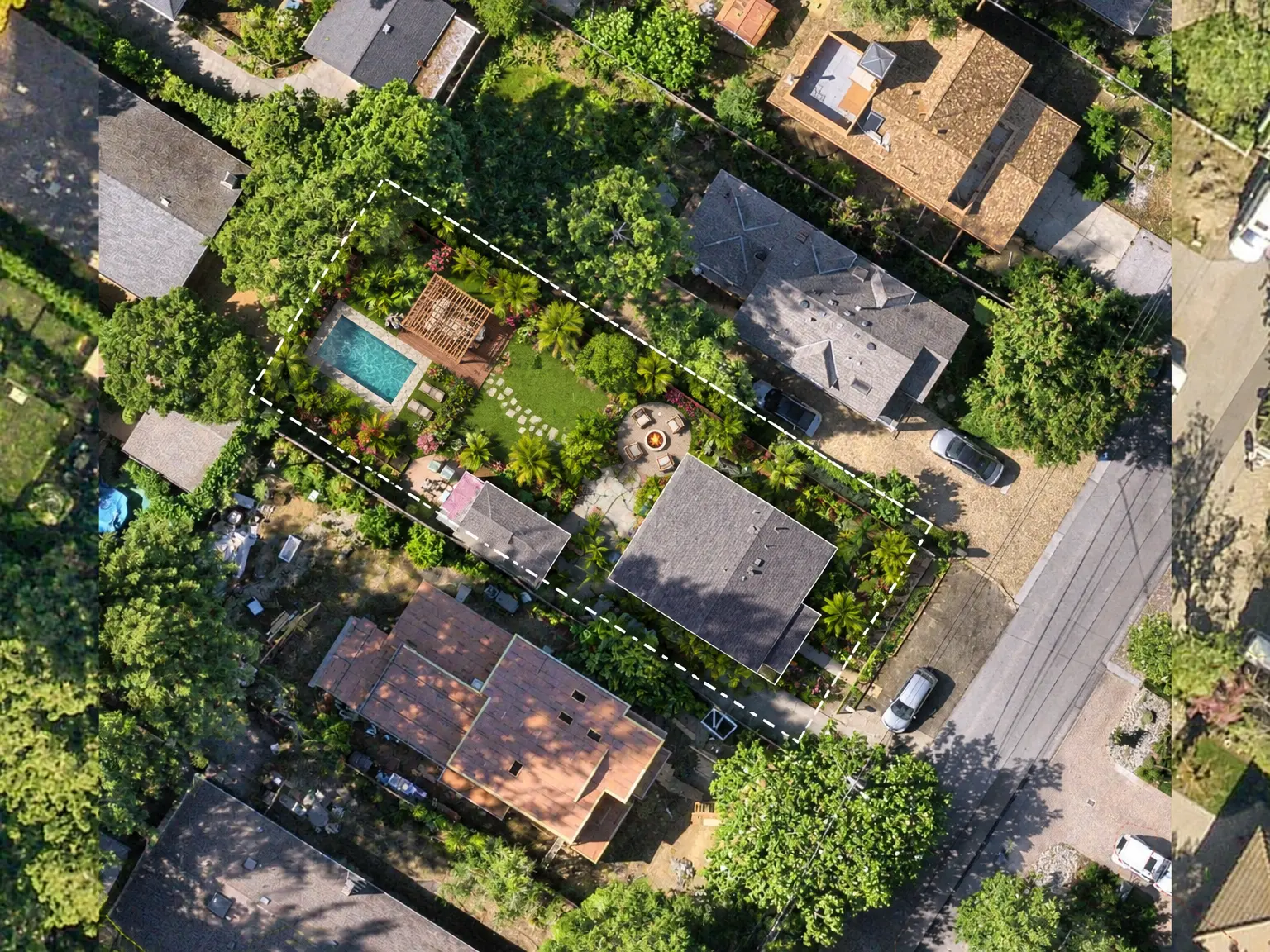
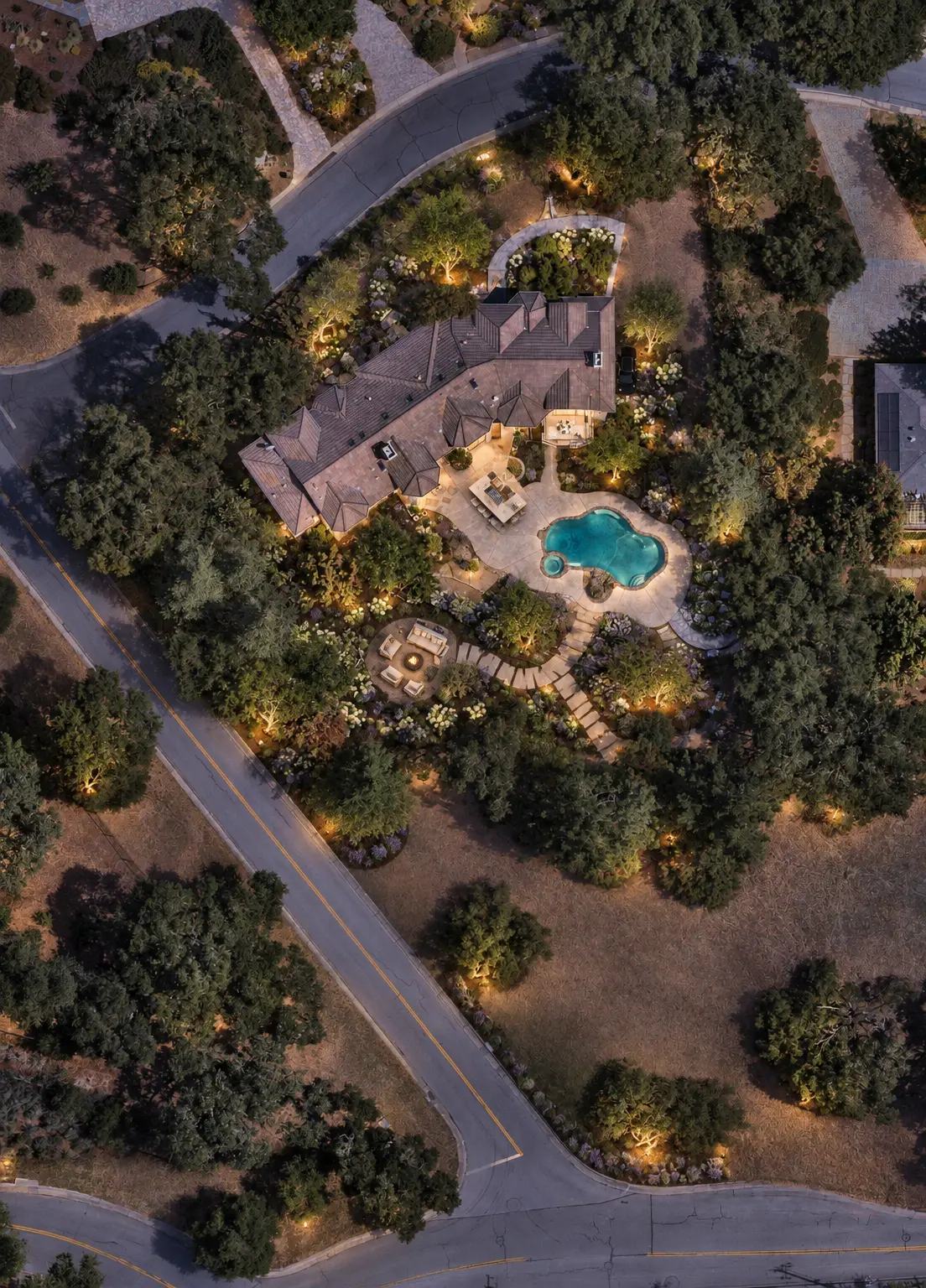
| 2D Render Generation | Renders design directions on your actual site, using your chosen style, planting, materials, and atmosphere | To show an idea before anyone draws it |
| Planting + Presentation | Places a plant palette on the plan as counted plants and delivers Hydrozone and Planting Plan sheets | For the design presentation |
| Irrigation Zoning Brief | Computes each zone's water demand from your hydrozones and a sourced ETo rate | Before irrigation design |
| Grading + Drainage Study | Produces grading and drainage PDF studies from the site plan, terrain, and imagery | When slope or water is the question |
| Permit Readiness Binder | Drafts a cited submittal checklist for the agency, marked for code verification | Before you put a submittal package together |
More Impresarios are in development. New ones plug into the same InQuest workspace, with no extra setup on your end.
Do I need a site plan before I can use one?
Yes. Impresarios run on the property data in your InQI project: parcel boundaries, structures, setbacks, trees, and existing landscaping. That data comes from your Generative Site Plan. You create it by entering an address or Assessor's Parcel Number (APN), and InQI auto-traces the structures, trees, and hardscape on a scaled plan.
If you don't have a site plan yet, start there. Everything else builds on it.
How do I run an Impresario?
It takes three steps:
- Pick the Impresario. Choose the outcome you want, such as understanding the site, exploring a design, or preparing a deliverable.
- Set up the run. Choose a few options in plain language, such as the whole property or one area, and a style direction like Mediterranean, naturalistic, modern, or resort.
- Prompt and review. InQuest asks for any missing details in chat, then delivers the output for you to review, adjust, and share.
IQ Agents handle the research. You handle the project.
Sign up for freeDo I need to know exactly what I want before I start?
No. The setup is a short set of plain-language choices, and InQuest fills the gaps by asking questions. A homeowner who only knows they want "some shade and a place to eat outside" can start the same way a designer with a full brief can.
What does the output look like?
It depends on the Impresario. Most deliver structured analysis, data tables, and renders inside InQuest. Some also produce a PDF you can share, like the Planting + Presentation report and the Grading + Drainage Study.
Here's what Instant Site Intelligence returned for the sample property on our Impresarios page:
- Parcel area: 51,945 sf (about 1.19 acres)
- Roofs: 2 polygons, 6,508 sf
- Pool: 851 sf
- Hardscape: 9 areas, 4,895 sf total
- Lawn: 9 areas, 6,528 sf total
- Trees: 32 mapped points
- Aerial comparison: 2026 vs. 2014 (12 years)
Every one of those numbers was measured from the active site plan, not estimated.
2D Render Generation: sample outputs
A few landscape directions created with 2D Render Generation. These are samples, not a fixed format. Ask for the style, atmosphere, features, and level of detail you want in your prompt.
How accurate is it, and where does the data come from?
Measurements come from your site plan, which is scaled and built from available parcel, imagery, and elevation sources. Outside data, like ETo rates and hazard referrals, is sourced and shown. Code-related outputs, like the Permit Readiness Binder checklist, are cited and clearly marked for verification.
Two things to keep in mind. First, a site plan is not a legal boundary survey, and data depth varies by county. Second, every Impresario output is a first draft. You review it, adjust it, and confirm final requirements with your local building department before anything is submitted.
Will Impresarios replace my landscape architect or designer?
No. Impresarios handle the assembly work: measuring, mapping, counting, and drafting. That frees people for the decisions. Professionals use them to walk into the first meeting prepared. Homeowners use them to show a contractor exactly what they want instead of trying to describe it. Design judgment and stamped drawings stay with the professionals.
Who uses Impresarios?
- Builders. A lead calls about a pool. The builder runs the address, uses 2D Render Generation to show a direction on the client's actual backyard, then checks local rules with Codes.IQ and prices it with Estimate.IQ before the first site visit.
- Landscape designers. A new client wants a low-water Mediterranean garden. Before the first meeting, Instant Site Intelligence measures the beds, trees, and hardscape. Planting + Presentation builds the palette and quantities, and the Irrigation Zoning Brief computes the water demand.
- Architects and developers. Before a site visit, Instant Site Intelligence shows parcel size, setbacks, existing structures, constraints, and hazard referrals, so they know whether the site is worth the trip.
- Homeowners. Instead of explaining an idea to three contractors and getting three different quotes, a homeowner gets a render of the backyard built on the real property, so everyone quotes the same thing.
Which plan includes Impresarios, and what do they cost?
Impresarios are part of the InSight plan: $79 initially per project, then $39/month per project. A project is one address or APN. InSight includes 800 InQI Intelligence Credits a month, shared across Site Plan and the AI workbench. Usage varies by task, and unused credits expire at the end of each billing cycle.
The Foundation plan ($29 initially, then $29/month per project) covers the Generative Site Plan but not Impresarios. You can start on Foundation and move a project to InSight when you need the AI workbench. Creating an account is free. Full details are on the pricing page.
Does it work for any US property?
InQI covers all 50 states. Data depth and precision vary by county and source, and InQI shows the available coverage for each project before you rely on it.
Start with one Impresario
Load your property, pick one Impresario, and run it on the project you're working on this week.